วันอาทิตย์ที่ 31 กรกฎาคม พ.ศ. 2554

Wacom Intuos3 9 x 12-Inch USB Tablet--Metallic Gray


Product By Wacom
Product Description
 Intuos3 allows you to quickly and professionally edit photos and create digital artwork by turning on the full power of Adobe Photoshop, Corel Painter, and over 100 other leading software applications. Intuos3 tablets now put ExpressKeys and Touch Strips right at your fingertips for convenient keyboard shortcuts, scrolling, zooming, brush size control, and more. Wacom s Penabled technology gives you the natural feel and superior performance of Wacom s patented cordless and battery-free tablet technology. You ll find that using an Intuos pen, mouse, and tablet gives you more control, comfort, and productivity. Alternating between the comfortable Grip Pen and the ergonomic five-button Intuos3 mouse reduces repetitive motion. Features: Easy-to-use pen tablet Pressure-sensitive pen with 1,024 levels of sensitivity Ergonomic Intuos3 Tablet ExpressKeys and Touchstrips Intuos3 Five-button Mouse Intuos3 Driver Software Free Technical Support Wacom Includes: Intuos3 9 x 12 tablet, Intuos3 Grip Pen, Five-button Mouse, Adobe Photoshop Elements 3, Corel Painter Essentials 2, nik Color Efex Pro 2 IE from nik multimedia & Wacom Brushes 2.0

Technical Details
  • Pen tablet with USB connection
  • 1024 levels of pressure-sensitivity
  • Customizable menu shortcut buttons
  • Thick, durable overlay
  • 2-year warranty

Similar Products                                   

วันเสาร์ที่ 30 กรกฎาคม พ.ศ. 2554

Wacom Techno Cintiq 21UX 21-Inch Interactive Pen Display PC Tablet With Pen and Software


Product By Wacom, Inc

Product Description
 Wacom Techno Cintiq 21UX 21-Inch Interactive Pen Display PC Tablet With Pen and Software

Technical Details
  • Box Contents - Cintiq 21UX Interactive Pen Display, Grip Pen, Pen Stand, Display Stand, 5 Replacement Pen Nibs
  • Analog RGB (HD 15pin) or digital DVI (29 pin) graphics input
  • DVI-I Display connector
  • Stand adjustability - 10-degrees to 65-degrees incline
  • Mounting Hole pattern - VESA 100mm

Similar Products                                  

วันอังคารที่ 29 มิถุนายน พ.ศ. 2553

VisTablet Mini Tablet


Vistablet Mini (3x5 dimensions), the smallest, thinnest and most portable graphic tablet. Pen tablets have been around for some time. Not until recently have they become affordable to the general public. These tablets are ideal for professionals in the Graphic art and Photo industries, students, and general needs for handwriting recognition on your MAC or PC. VisTablet allows you to explore the internet, draw, paint, write, highlight and do professional or home photo editing. Vistablet ahs incorporated all the latest features and benfits needed and expected from a graphics tablet and made it affordable for everyone. The VisTablet has 1,024 levels of sensitivity to the pen-pressure you apply to the surface for superb recognition. System Requirements: Microsoft Windows Vista Microsoft Windows XP (SP 2) Apple OSX (10.3 and later) Please note that the VisTablet graphics tablets are designed to take advantage of built-in features in Windows Vista and MAC OS. Some capabilities will not be available to all users. Mouse capabilities are universal with all compatible operating systems. Always be sure to download the latest drivers available for your operating system.

Technical Details
  • Smallest, Thinnest and Most Portable Tablet Available
  • Most Affordable Tablet On The market
  • 1024 levels of sensitivity to the pen-pressure
  • Mac and Windows Compatible
  • No stand-alone power supply required

Customer Reviews

"If Wishes Were Horses ..." 2009-09-25
By Agricola
I picked up this gadget because I want a way to take college class notes in OneNote that can only easily be taken by hand, yet keep them on my computer rather than a notebook. For example, in my chemistry class we have been drawing diagrams of atoms and molecules, and while this is pretty easy on a pencil and paper, it's pretty hard to do while the professor is talking at full-speed using a mouse.I wasn't expecting perfection, but what I had trouble with is pretty jarring: It doesn't scan input fast enough to look like anything resembling hand-writing. If I write slow enough to get a usable image, even if it's just one that I'll know what it is so I can clean it up later, I write too slowly to be able to keep up.The form factor is perfect for my needs. The pen is excellent although I would prefer something that didn't require I feed it batteries. And what I need may not exist -- something that will record my writing at pretty much full speed -- but even if it does, I also know that this isn't it.


"Useful" 2009-09-20
By Richard Anthony Smith (New York State)
I am having a blast with this product, I use it specifically to work on GIF files for website banners and with photo shop. It is small and compact so it fits in the inside back pocket of my Swiss Army back pack perfectly allowing me to carry it around and play with it whilst I am waiting in airports. I am very pleased with it. I would now be willing to consider putting out the money for a larger more robust version to really get down to business. I am not an artist in fact I am far from it. I would have liked it a little bigger so that I could trace things better. The pen is hollow plastic and I would also have liked a heavier weight in my hand. However to be fare to the product it opens up a lot of options.


"Fun computer tool" 2009-03-30
By Cisco Emas (Coquille, OR)
I like my new VisTablet mini, my only comment is that it does not come with a lot of instructions and the quick tabs don't work well for me. But what a fun tool to play with...and great for details...It works well with my photoshop and draw plus 2 program. The people at VisTablet are very approachable and helpful...so together we are working out the kinks.

  
"Vistablet Mini" 2009-01-12
By S. Penrose (Juneau, AK)
Purchased this for creating signatures and photo touchup. Using it on a pc with dual monitors is not a good idea, but I found that if I use it with my laptop, it's great and does the job very nicely! I'm actually thinking about getting another one of these for home.

วันเสาร์ที่ 19 มิถุนายน พ.ศ. 2553

Monoprice 8X6 inches Graphic Drawing TABLET


8X6 inches Graphic Drawing TABLET
Unleash your inner artist!
This precision tool of graphic artist, illustrators and draftsmen allows you to gain precise control of your cursor to draw more accurately and efficiently reducing the chance of RSI (Repetitive Strain Injuries).  Great for whiteboard demonstrations, document annotation, free hand illustration and use in conjuction with a wide array of graphic arts, photo editiing and publishing software.
Easy to install, easy to use and spectacular results.
FEATURES!
  • Large 8x6 inch working surface.
  • 1023 pressure sensitivity levels.
  • 2540 LPI resolution for pinpoint accuracy.
  • 100 RPS report rate for speed.
  • Allows large gesture drawing.
Includes a free extra pen!
Bundled with Adobe Photoshope CS3 Extended (trial) and Corel Painter X (Trial).  Mac driver included.

8X6 inches Graphic Drawing TABLET
System Requirements:
  • Intel Pentium III Processor or higher
  • Windows 2000/XP/Vistaor Mac OS X (including Snow Leopard).
  • One free USB port
  • At least 256Mb of hard disk space for software installation
  • At least 128Mb of RAM

Technical Details
  • A perfect accessory for your computer.
  • Durable
  • High quality


วันศุกร์ที่ 11 มิถุนายน พ.ศ. 2553

Digital Ink Pad & Voice Recording - Mobo Note A4


Product Description

Digitally capture and store everything you write with ink on ordinary paper. The Mobo Note A4 is a stand-alone device with storage capability that digitally captures and stores everything you write or draw with ink on ordinary paper without the use of computer and special paper. When connected to a PC, the Mobo Note A4 offers an on-line writing function, which can instantly synchronize your writing on the paper with the digital page in its software. With its Mobo Note Manager software, you can easily view, edit and organize your digital pages in Windows. You also can use the on-line writing function, which can instantly synchronize your writing on the paper with the digital page in its software. Can be saved as BMP, JPG, GIF or PNG format System Requirements - Windows 2000 or XP, CPU 500 MHz Pentium III or better, RAM 128 MB or more recommended, Equipment Available USB port, CD-ROM drive & 32 MB Hard Drive Free Space Pad Dimensions - Width 9.88 x Length 13.22 inches (251 mm x 336 mm) Thickness - 12 mm (0.47-inch) Weight - 1.4 pounds (635 grams) without batteries Writing Area - 8.5 x 11-inch (216 mm x 279 mm) Writing Thickness - 0.55-inch (14 mm), approximately 140 sheets of paper Notepad Holder for Letter size notepad - 8.5 x 11.9-inches (216 mm x 302 mm) Power Source Supplied from USB port when connecting the digital pad to PC 4 AAA alkaline batteries can last approximately 80 hours Digital Inking Pen Dimensions - Length 5.28 x Diameter 0.45-inch (34x11.3mm) Weight - 0.03 pounds (3.8 grams) with battery Power Source - One 1.55V button cell battery Ink Cartridge - Diameter 0.09 x Length 2.64 inch (2.3mmx67mm)

Technical Details
  • Pen Dimension:11.2x11.2x140/142(on/off)mm
  • Pen Weight:12.2g
  • Resolution:1000lpi
  • Unit Dimension:335.69x244.86x11.5mm
  • Unit Weight:0.68kgs

วันอังคารที่ 8 มิถุนายน พ.ศ. 2553

Wacom Techno Cintiq 21UX 21-Inch Interactive Pen Display PC Tablet With Pen and Software


Product By Wacom, Inc(28 customers reviews)
Lowest Price : $3,299.99

Product Description

The Cintiq 21UX interactive pen display provides the best-of-class pen experience for working directly on the screen. It combines the advantages of a large-format LCD monitor with the control, comfort, and productivity of Wacom's most sophisticated patented cordless, battery-free pen technology. With a 21.3-inch TFT diagonal display, the Cintiq 21UX delivers a highly sensitive pen-on-screen experience and a generous active area for working directly on large images, concepts, and designs in the most natural way possible. Working directly with the pen on screen is a natural motion that gives you an unprecedented degree of control and allows you to take advantage of natural hand-eye coordination, helping you work more intuitively and noticeably faster. The display's completely flat surface allows the hand and pen to glide over the surface of the Cintiq without bumping into any bezels or borders. A dynamically-adjustable stand allows you to rotate the display up to 180 degrees in each direction, incline the display from 10 to 65 degrees, and even remove it for comfortable lap use. Rear roller feet make the incline adjustments easy; the result is freedom to adjust the interactive display to positions that work for you. Strategically-placed ExpressKeys and Touch Strips are programmable, allowing you to customize your Cintiq to your needs. The ExpressKeys are easily accessible on either side of the display and provide quick access to keyboard shortcuts, modifier keys, and functions that minimize dependence on the keyboard for uninterrupted work sessions. Finger-sensitive Touch Strips are located on either side of the display for easy zooming, scrolling, or making tool adjustments without taking focus away from the pen tip.

Technical Details
  • Box Contents - Cintiq 21UX Interactive Pen Display, Grip Pen, Pen Stand, Display Stand, 5 Replacement Pen Nibs
  • Analog RGB (HD 15pin) or digital DVI (29 pin) graphics input
  • DVI-I Display connector
  • Stand adjustability - 10-degrees to 65-degrees incline
  • Mounting Hole pattern - VESA 100mm
Similar Products
                                  

Customer Reviews
  
"Q's for the buyers so far...." 2010-02-17
By Paul J. Brockway
Hi, im a traditional artist looking to go digital,and trying to draw,design and paint with a mouse can be a real pain.i was just wondering for those of you who have both the Cintiq and another drawing tablet, for my first tablet, would the intuos or bamboo suit my needs?I guess im just wondering if having the screen on your pad to see what you are drawing will make any real difference?my birthday is coming up so please reply asap.


Thanks.

  
"Great for hobby" 2010-02-06
By Vel
I've used this for about 1 week and absolutely love this product. Quite a jump from my previous tablet, which is a Wacom Intuos 2 that I've had for about 6 years.

I use Photoshop CS3 to compose digital paintings and illustrations. I'll be looking into Illustrator to get into vector works. So far, it's great with Photoshop. The tablet options are very simple to calibrate and set up - at least from an amateur point of view. I set it up slightly angled and draw/paint on it like a canvas on an easel. It's what works for me. The screen is pretty large, so having it angled more parallel to the desk makes it difficult to draw. But I think this is just personal preference and circumstance.


My only gripe is that the right scroll panel tends to get in the way at times, so Photoshop will zoom in and out if my hand accidentally passes over it. I'm going to see if I can just turn that feature off altogether or if I'll have to adjust my workspace.


And totally have no need for Corel Sketch Pad. But that's just me


I've tried Inkscape, but the program itself has issues with most tablets.


Perhaps I can update this review when I get more acquainted with this product - but I am loving it so far.

  
"Pretty cool, but overpriced" 2010-02-01
By Ghostly Shopper
The cintiq is a cool piece of technology, but it has one very noticeable flaw that I was not able to accept. When I would draw, the lines would all have a wave to them. I'm not talking about the standard digital jitter. I can draw smoothly on my intuos tablet, but the cintiq seems to have some shielding problems that will not allow for smooth drawing. People have argued that, that's just the price of digital drawing, but in my opinion something that costs $2,000 should work better than that. If it was half the price, I probably would've kept it and been happy with it, but that's a lot of money for it not to work as I expect it to. If you google cintiq jitter, or wavy lines you may be able to find others with similar problems. I ended up returning it after spending a week trying to get wacom to help me.

By the way, wacom tech support is nice up to the point where they don't have an answer for you. Then they just ignore you. That's when I realized my problem is a limitation of the technology or it's a defect they don't want to admit is occurring.


There was also a delay in my actions and what occurred on screen. Once you get drawing, you don't really notice it though.


On the plus side, beautiful screen, big drawing area, really fun to draw on, and I loved being able to rotate the screen. Like I said, if it was half the cost, I would've kept it.


For the money, I'd recommend getting a tablet pc instead of a cintiq. From what I've read tablet pc's have less jitter problems, are half the cost, and you get an entire computer instead of just a monitor.

  
"You know it's a great product" 2010-01-30
By A. Jauregui-osante (USA/MEXICO)
No more going ctrl+z because your stroke didn't go where you meant it to go.


Is it expensive? sure it is

Is it worth it? sure it is


I've had this product for about 9 months now, no issues, just great work. Boosted up my work by a lot, the monitor is giant! No more moving icons to have a bigger work area. Plus now that the iPad has been promoted and has no real comparison with this product, you know this is a great buy.


...and for some reason you get it cheaper on amazon...

I asked at [...] why they did and they just told me I should buy it from amazon.


Quick delivery, good product, no complains

  
"terrible customer service and policies" 2009-10-10
By JOHN H. PARK (Arcadia, CA United States)
I just got my Cintiq 21UX. It's an awesome piece of equipment, not backed by a good company. I have more than one dead subpixel, and their policy is up to 14 DEAD SUBPIXELS!

C'mon?! I'm a graphic designer, and this is what over $2000.00 gets me?

I'm past disappointed w/ their policies and service.

วันพุธที่ 2 มิถุนายน พ.ศ. 2553

Genius G-Pen 560, USB 4.5 x 6 tablet with cordless pen.


Product By KYE Systems America Corporation - GENIUS(7 customers reviews)
Lowest Price : $37.99


Product Description

For art designers or normal users, G-Pen 560 performs remarkably well and brings much value to your life. No matter if you are a PC or Mac user, just plug G-Pen 560 into your computer and devise your own creations. G-Pen 560 has a programmable "Hot-Key" area for the office and Internet. Use it with the pen device for super shortcuts. The cordless pen features two buttons and 1024 level pressure sensitivity. While drawing with the digital pen, you can control all kinds of shapes and thickness easily. The two buttons of the pen can also be programmed as the left and right mouse buttons. The bundled software includes Power Presenter RE, Free Notes and Office Ink which provide useful and convenient functions for your presentation or handwritten notes. Plus, PhotoImpact XL SE software is an excellent tool for photos, design charts and web graphics editing. Let G-Pen 560 bring art-style to your life, and be more creative and more colorful.

Technical Details
  • Genius G-Pen 560 4.5 x 6-inches Graphics Tablet General Features: Cool frosted bronze color
  • Built-in pen holder 12 hot-keys 4.5 x 6-inch working area for drawing and handwriting
  • 2000 LPI resolution 125 points/sec max report rate 60° tilt range ± 0.42 mm accuracy
  • Cordless pen has 1024-level pressure sensitivity for all kinds of thickness control
  • Great tool for marketing presentations
Similar Products
                                  

Customer Reviews
  
"Misleading product image" 2010-02-04
By Moshe Feder (Flushing, NY USA)
The photo of this tablet makes it look like has a built-in LCD screen to draw on. That's a feature normally found only in very expensive tablets, and it's not reflected in the specs for this product. Someone is playing games here. Beware.

  
"Doesn't work well with Mac" 2010-01-08
By Danielle (USA)
I had to buy this for a class and can't install it properly on my macbook. It says it works with Mac OS 10.2.8 and above, but it doesn't. I have Leopard. The software won't install and the instruction manual only has instructions for PCs. The customer service number on the box is in Taiwan too. Don't waste time buying this; you'll only have to return it.

  
"too glitchy" 2008-12-24
By R. Fridkin (Chicago, IL USA)
i think it was fine when i first bought it - it's been some time since i've moved around my office and picked up drawing in photoshop for fun, but when I first got it I think it worked fine. Now, ive been trying to use it for the past 2 days with new batteries in the pen and it just glitches out. you'll start drawing and the pen won't work, or you'll attempt to draw and it just wont mark it in photoshop, it shows the pen moving but no ink is put down. i'd really recommend a different product other than this. i guess it shows you get what you pay for.

  
"Really great" 2008-09-04
By Misty :-) (Houston, Texas USA!!)
My daughter got this and absolutely loves it. For only 40 bucks, she can now draw much more detailed pictures on the computer and she can share them with friends via instant message or email. For a pro, this is not what you want obviously because it doesn't have all the bells and whistles. For a hobbyist or a child, this is great. It's affordable and decent quality and does its job even better than I expected.

  
"A waste of money" 2008-02-23
By Aubri T (Utah, USA)
I would not reccomend buying this product. I bought if for myself around the holidays because of the good price. It worked great for about a month and a half, but then up and died on me. That's what I get for going for the bottom-of-the-line product.

วันอาทิตย์ที่ 30 พฤษภาคม พ.ศ. 2553

VisTablet Muse Graphics Tablet 80-915W04030-000v.30 (Black)


Product By vistablet
Lowest Price : $259.99
Product Description

VisTablet Muse is the newest precision tablet on the market with battery free and cordless pen technology for your Mac or PC and manufactured for all serious designers, artists, photographers and digital content creators. The VT Muse is a hands-on tool that provides the finest and most accurate results for all your digital creations and is the finest pen tablet experience that we have ever offered. The Express Keys activate your personalized shortcuts for each and every application while the finger touch digitally resistive rings allow the most precise and accurate control for scrolling, zooming, brush size, rotation or layer selection. The VT Muse is an indispensable tool in combination with all your digital applications and reduces working time in half compared to users without a tablet. It comes bundled with Adobe Photoshop Elements 6.0 for Mac and 7.0 for PC. The VT Muse gives you unlimited possibilities with your artwork and creations. Along with the capabilities of a graphic tablet, the Muse has the ability to be used similar to an artist’s canvas. The extreme tilt angle of the battery-less pen allows you to paint digitally in a way that is only rivaled by a paintbrush and canvas because it works with design programs like Corel to use the thickness, darkness and hue cursor on the program as though you are pressing actual brush on real paper or canvas. System requirement: Mac OS X 10.4 and above Windows OS: XP / Vista / Windows7.


Technical Details
  • Illustrator: VisTablet Muse provides fine and natural looking results for figure objects in any sketches; This is a useful tool in combination with Drawing Application Software
  • Photo Editing: VT Muse provides advanced function keys that can reduce working time in half for designers without a tablet; It comes bundled with Adobe Photoshop 6.0 for Mac and 7.0 for PC
  • 3D Design: Work easily by adding or deleting points and faces with the VT Muse; Drag object or even detach parts from the object and most importantly, you can work freely from different directions on the object surface
  • Artist's Painting: VT Muse is a drawing board for artists and you can work anywhere and anytime without preparing lots of painting tools or materials
  • Page layout Design: VisTablet Muse offers new functionality from page layout and system integrators, you may easily add pictures, photographs or diagrams into your creations.

วันเสาร์ที่ 29 พฤษภาคม พ.ศ. 2553

VisTablet PenPad Graphics Tablet 81-914W03140-000v1.0 (Black)


Product By vistablet
Lowest Price : $39.99

Technical Details
  • Learning Tool: Great tool for children and adults alike who are new to the graphics tablet world
  • Everyday use: Virtual tool for everyday use, are slimmest and most flexible tablet ever
  • Drawing Tool: VT Pen pad is designed for beginning and advanced artist alike
  • Great for Travelers: The most ideal tablet for travelers, no need to sacrifice for performance for versatility
  • Ideal Gift: Is a gift that is sure to be on the list of any traveler, professional, student, artist, or any one that uses a computer

วันอังคารที่ 25 พฤษภาคม พ.ศ. 2553

Adesso CyberTablet Z12 - Digitizer, stylus - 10 x 6 in - electromagnetic - wired - USB


The Cybertablet Z12 features a 10" x 6.25" work space for drawing, handwriting, sketching, coloring and picture editing. This tablet enables you to control the pressure level of the pen. With a 1024 lop (level of pressure) you could adjust the lightness or thickness. It features accurate pressure sensitivity to accomplish the most sophisticated computer-aided designing tasks. A powerful, yet easy-to-use combination of an ergonomic pen, tablet and software lets you naturally draw and write freehand graphics and text as comfortably as you would on real paper. The possibilities are endless with this ultra slim, portable graphics tablet- plus its small enough to go wherever you go.


Technical Details
  • USB connection for quick installation.
  • Transparent photo frame for easy personalization with photos and artwork.
  • Includes 29 Macro Keys to easily set up keyboard events.
  • High resolution, supports up to 2000 lpi
  • Wireless pen offers 1024 levels of pressure-sensitivity for natural brush control; Precise, light an
Customer Reviews
  
"A few quirks, but worth it for the price" 2010-05-18
By Amazed (Texas)
To further my study of digital art, I purchased the Adesso z12 instead of the more highly regarded Wacom tablets because it was cheaper and, as a beginner, I didn't see the need to spend so much on a tablet. I was expecting it to be "you get what you pay for" but I was very impressed with the quality of the tablet. The pressure settings are very accurate and the sensitivity is perfect. It fits most computer screens with ease. There is no tilt function, but I rarely even notice since the pressure is so responsive.


It does have a few quirks, however. The preset hotkeys are confusing and marked badly. For example, the magnifying glass doesn't magnify -- instead, it pulls up the product info of the tablet. It's easy to look past, though, because you have such an abundance of hotkeys you can set yourself. I rarely even think about it. Also, the pen has a bit of trouble recognizing new pen nibs when they need to be replaced. My pen stopped working altogether, but after emailing Adesso about this problem, they promptly replaced my pen for no cost.

The biggest problem arises for Mac users. The driver included with the tablet will not install on Leopard and Snow Leopard at all. It usually ceases installation at about 33%. While his was a big problem initially (I considered sending it back), I visited Adesso's website and was able to download a patched driver that installed quickly and easily.


Also for Mac users, the included Photoshop Elements disc only contains PE 4, instead of PE 5 as it does for Windows. I have no problems with it, though, because it has such a large workspace compared to later PE editions.

For the low price, you absolutely cannot beat this tablet. More professional artists should definitely spring for a Wacom, but for those of us who are just starting out, the Adesso makes for very steady training wheels. I love my tablet and never go anywhere without it.

  
"bought for a friend" 2010-03-02
By Northern Gal (Alaska)
I bought this for a friend's birthday. He said it was super easy to install (windows vista), but that it has so many cool features he'll have to use the instructions to be able to do everything this pad is capable of. He hasn't stopped playing with it since he got it. He says that the more you write with the tablet, it even starts to recognize your handwriting. I thought that was cool. I don't know much about these things, my friend does a lot more of that kind of thing, but he says that he loves it!

  
"Solid, inexpensive product" 2009-01-04
By G. Pearce
I've had this tablet for a few weeks now and have enjoyed using it. I primarily wanted it when I was working with photo editing software. It's easy to use and a lot more accurate than trying to edit photos with the mouse. I'm running Vista 64 bit. The only have 2 complaints: 1) I run a dual monitor setup and the cursor will not move past the vertical centerline of my primary monitor (I had to disable my second monitor for it to work properly). I'm not sure if this is true for all tablets, or just this one. 2) It has quick launch buttons, which aren't programmed as the pad shows them (ex. the cut button doesn't cut, it pastes, etc.), and I am unable to reprogram them


The 2 complaints aren't a big deal, but I felt they were worth mentioning, and the reason I gave it a 4 instead of 5.

  
"Impressed" 2008-08-17
By William F. Thorup
I have been using graphics tablets for my art for about 8 years now, and for the price and size this is a very good tablet to get. At first it was a little bit tricky to install on windows XP, but after that it work flawlessly.

For those of you who don't know it isn't limited to widescreen monitors. I have a normal 5:4 ratio monitor and it works good.


There is only one thing that I noticed that most other graphics tablets have, and that it tilt functionality. This basically allows you to tilt the pen to create softer lines. I really never took advantage of this on previous tablets I have owned so this isn't such a big deal for me. But I do know that there are others who use this function. This tablet does not have that.


If someone is intersted in something that I drew with this tablet here is a link. [...]


"Great addition for your desktop" 2008-07-04
By Kent Purdy (Utah)
The first few days using the Adesso Z12 tablet I was disappointed in my purchase. A few weeks later, I'm amazed how well this pad works. It's a little bit of a paradigm shift that your mind and hand need to adjust to. I find it to be quite an effective way to interface with programs like PowerPoint, Adobe Acrobat, and Visio. I'm able to work faster in programs where there is a more interaction using a pointing device. In addition, my slides or diagrams are more polished.


I also use the Z12 tablet with MS OneNote to take handwritten notes and draw diagrams with. I have a hunch that if more people knew how effective and helpful touchpads are, everyone would have one. Touchpads certainly don't replace a mouse, but they are a great addition. If you're doing more than just typing or surfing the internet, you should probably have one.

วันเสาร์ที่ 22 พฤษภาคม พ.ศ. 2553

Uc-logic 3d Graphics 5.5x4 USB Drawing Tablet


UC-Logic provides a wide array of tablet sizes, from 3 x 2-inch to 8 x 6-inch, to meet a variety of specific customer demands, such as graphic design, signing, handwriting recognition (HWR), or annotating documents and creating presentations. Our graphics tablets offer 512 or up levels of pressure sensitivity, so either when handwriting or drawing, users will receive a perfect line or picture by using UC-Logic's digital pen. Moreover, the tablets provide 'hot spots' which allow users to run shortcuts to most frequently used programs or menu options.

Technical Details
  • Create professional design and artwork (with Photoshop, Illustrator, Painter, Maya, 3DStudioMax, Pro-E, etc.)
  • Annotation of documents, e-classroom interaction, digital whiteboard presentations
  • Electronic signature capturing and authentication, handwriting recognition
  • Three button mouse functions with absolute cursor positioning
  • 1024 Pressure Sensitivity, 5.5 x 4 (inch) working area, USB port, PenMail, Also Works on Mac.

Customer Reviews

  
"Love it....." 2009-01-09
By joanne1360
I had the same UC-Logic graphics tablet for five years and have only just replaced it with a Wacom Volito because the UC-Logic pen developed an intermittent fault with it's right-click button so you had to click it up to four times to get it to work.However it took five years to develop this fault and if there was an easy way to get a replacement UC-Logic pen (they're becoming hard to find in the UK) I would do so in a heartbeat because I was very, very, very happy with the UC-Logic tablet.I like it better than Wacom's Volito because I'm finding the Volito slightly buggy with Windows 98 and Windows 2000 (I have a dual boot system) in terms of, 2000 won't start up without running disk-check first, ever since I've had the Volito, and sometimes on 98 it does this strange thing where if you try to select a folder or file it's already selected a random one and it's trying to select two files/folders at once.You can work around it but it underlines for me how my UC-Logic tablet always worked without a hitch.Yes it needs an AAA battery in the pen and optional mouse but the battery lasts at least six months when they're not even good quality batteries.I really hope a UC-Logic replacement pen or graphics tablet becomes available on UK eBay soon because working with a Volito graphics tablet has made me realise how much I loved the UC-Logic one.


"UC Logic Drawing Tablet" 2005-06-17
By C. Christine Frey (Phoenix, AZ)
I know everybody thinks "wacom" when they want a pressure sensitive drawing tablet, but recently I needed one to use on a trip and had the UC Logic 5X4 tablet shipped overnight.It was great. Yes, it has a battery in the stylus, but I didn't find the weight or shape at all awkward. The product works as well as my Wacoms, had all sorts of programmable hot spots, and was just a delightful surprise in every way. As a digital art instructor, for Eclectic Academy, an online school, I highly recommend this tablet.


Christine Frey

วันพฤหัสบดีที่ 20 พฤษภาคม พ.ศ. 2553

WACOM MTE450 (Small) Pen Tablet with Pen Only (Factory Refurbished)

Whether you're preparing a slide presentation or marking up documents, Wacom's Bamboo MTE450 pen tablet gives you more control with patented pen technology that puts the ability to personalize your work right in your hands.al documents, make quick sketches, and sign your name.Combine Bamboo with Mac Inkwell or Microsoft Windows Vista and Office 2007 to handwrite email, enter text by hand anywhere typed text is accepted, navigate your desktop with a flick of the pen, and more.Bamboo works with any software. In fact, many software applications have special features and tools that are designed to be used with a pen.

Technical Details
  • Box Contents - Bamboo pen tablet, Bamboo pen, Pen stand, USB cable, Quick start guide, Installation CD
  • Active Area - 5.8 (W) x 3.7 (D) (21 square inches)
  • Works with new handwriting recognition, inking and pen features in Windows Vista (all editions but Home Basic) and Apple operating systems (OS X)
  • Supports widescreen displays and has a textured work surface for a natural pen-on-paper feel
  • High resolution and report rate for outstanding accuracy

Customer Reviews

"wacome bamboo tablet" 2010-05-18
By Chary Antonio
for the product - well, i got it refurbished - but other than some scratched on the pad - it works really good. no problems whatsoever. and it was really easy to install. and using the tablet is so much easier than using a mouse. its really awesome.

as for the seller - i was really shocked when the delivery arrived the next day. i ordered it sunday evening, it was shipped monday - it arrived before 12noon tuesday. i was super excited. they said it will arrive friday - so you can imagine my surprise and excitment.

all in all - AWESOME!!!!

  
"Nice, but not great." 2010-05-08
By Brad Mitchell (Lake Isabella, MI)
I like it for some things, but sometimes the pen doesn't let up when I want it to and draws unwanted things. I guess I need to practice more. Good price.


"good for input, bad for pdf" 2010-04-19
By Diheng Luo
did its job well as an input tool, but it's not suitable for making notes on pdf file. urgly experience when I tried to write something down on pdf

  
"what?????" 2010-04-18
By Silver (USA)
umh... i have never bought this...

what i bought is a different model.

This is the model I bought,

Bamboo (Small) Pen Tablet with Pen Only

why is amazon asking me to review this?

fine, for a product i have never used, this product is AWESOME !!!

there.

  
"Very good even for beginners!" 2010-04-13
By Julia Hanrahan (Oglethorpe, GA, US)
I was a bit hesitant on ordering this at first, it being refurbished and all, but after getting it I'm certainly glad I did. The tablet, itself, was in good condition, with just a few scratches on the pad but it was refurbished after all and its not like I wouldn't create more myself. Its a bit hard to get use to it, seeing how I've always used a mouse. But once you get it down it makes it second nature to use.Installation was a breeze. Just plug it in, run the disc, and you're done. Same with the software which are fun to play with. You can mess with photo's, create your own artwork, among other things. Or just goof off to get a feel for the tablet is also great. I spent hours just messing with each program to familiarize with it and the whole concept of a pen and paper being my new mouse. It's not something you would use for gaming, trackballs are the best for me, but for simple web browsing and drawings it's excellent. I even use it at work since I enjoy it so much.

So if you're looking into something to start off with, not being sure of what tablets you want or even if getting one at all, I would say try the bamboo not only because of the design, easy installation, or its easy use but also because of the software that comes along with it. ^_^

วันอังคารที่ 18 พฤษภาคม พ.ศ. 2553

Bamboo (Small) Pen Tablet with Pen Only


Whether you're preparing a slide presentation or marking up documents, Wacom's Bamboo MTE450 pen tablet gives you more control with patented pen technology that puts the ability to personalize your work right in your hands.al documents, make quick sketches, and sign your name.Combine Bamboo with Mac Inkwell or Microsoft Windows Vista and Office 2007 to handwrite email, enter text by hand anywhere typed text is accepted, navigate your desktop with a flick of the pen, and more.Bamboo works with any software. In fact, many software applications have special features and tools that are designed to be used with a pen.

Technical Details
  • Box Contents - Bamboo pen tablet, Bamboo pen, Pen stand, USB cable, Quick start guide, Installation CD
  • Active Area - 5.8 (W) x 3.7 (D) (21 square inches)
  • Works with new handwriting recognition, inking and pen features in Windows Vista (all editions but Home Basic) and Apple operating systems (OS X)
  • Supports widescreen displays and has a textured work surface for a natural pen-on-paper feel
  • High resolution and report rate for outstanding accuracy
Customer Reviews
  
"Great Tablet - Sometimes Wish it was Bigger (But that's Expected)" 2010-05-11
By S. Piazza (Georgia)
This device was extremely easy to set up and worked great in Photoshop and Corel Paint. I can confirm that it works fine in Windows XP, Windows Vista, and Windows 7, but sometimes it takes a little while to be recognized.I've noticed that the back of the tablet and shiny parts on the top can get scratched pretty easily but overall this is a very responsive and accurate device, perfect for graphic arts and photo doctoring in Photoshop.

  
"my sister loved it" 2010-04-26
By peaches (Fairfax, VA)
i don't really know anything about this product. I bought it for my sister because it was on her wishlist and she absolutely loved it. I know she's had it for about 2 years and still uses it. other than that i don't know much about it.


"Outstanding First Purchase" 2010-04-14
By Colin Schlotter (Mobile, AL, USA)
I am somewhat new to the pen & tablet community. In the past, I have used industrial laser pens for AutoCad. I have to say that I am very impressed and pleasingly surprised. Anyone looking for their first pen & tablet, or maybe even a new one, should seriously take this into consideration.

  
"Bamboo pen tablet" 2010-04-05
By Tyler Page (Minneapolis, MN United States)
Not as sensitive as the Intuos models but a great value for the price. A good entry-level pen tablet.

  
"Works find, but haven't gotten used to it, so rarely utilize" 2010-04-01
By L D Allan (Colorado)
I do lots of Photoshop edits, and was hoping this would improve my productivity. I've tried several times to get used to it, but it hasn't felt natural enough to switch.

วันเสาร์ที่ 15 พฤษภาคม พ.ศ. 2553

Wacom Intuos4 Medium Pen Tablet


With a new design and features inspired by members of the professional creative community, Intuos4 redefines the pen tablet experience. Featuring Wacom¿s new pen tip sensor technology and 2,048 levels of pen pressure sensitivity, the Intuos4 pen captures the most subtle nuances of pressure, allowing you to dynamically adjust exposure, brush size, opacity and more. User-defined ExpressKeys activate frequently used shortcuts and modifiers, while the accompanying, illuminated ExpressKey displays on the medium, large and extra large models, provide a constant reminder of each key¿s function. The finger-sensitive Touch Ring quickly controls up to 4 different functions such as canvas rotation, zoom, scroll, brush size and more

Technical Details
  • Quickly and professionally edit photos and create digital artwork with natural pen control
  • New pen tip sensor technology lowers activation force and captures every nuance of pen pressure
  • 2048 levels of pen pressure sensitivity for precise pressure control
  • User-defined ExpressKeys and multi function Touch Ring put time saving shortcuts, modifiers, scrolling, zooming, and more at your fingertips
Customer Reviews
  
"Delighted!!!" 2010-05-10
By Wonder Suman
We purchased the Wacom Intuos4 Medium Pen Tablet to give as a gift. It arrived as promised.

The graphic designer who now owns the Tablet loves it and always uses it. NO complaints so far.


"Awesome tablet" 2010-05-08
By T. Chang
I bought this because my other tablet was a bit too big and not travel friendly. When I got this one tho, I thought it was too small. It is very compact tho and I could fit it into my backpack with no problems. I kinda grew into the small footprint that this has. If i were to buy another one, i'd get the medium.


"Wacom Intuous 4 Review" 2010-05-03
By Brad Puckett (Mobile, AL)
Don't know how I worked without it. I'm a pro photographer and making minor tweaks to specific parts of photos is a breeze with the Wacom. I highly recommend it to anyone that does photo editing.

  
"Incredible product. Opened up my design possibilities infinitely." 2010-04-28
By J M (Illinois)
Plug and play. Incredible features. Wish I didn't waste so many years without it. It has made a huge difference in Adobe Illustrator and Adobe Photoshop. Also purchased Corel Painter 11 upgrade. Incredible possibilities. There are plenty of reviews giving details about features and limitations, but that's not my purpose for giving a review. Everyone's work experience is variable, so I'm just writing to relay this product did not disappoint. It has immediately become a staple that I will never again be without.


"What I expected" 2010-04-22
By Branson Boykin (Fort Worth, TX)
Definitely enjoy it. Took a little getting used to at first, but now it works with a great ease. I like having both the mouse and pen, so that I cna switch out depending on what I'm doing. All in all, a great product.

วันพุธที่ 12 พฤษภาคม พ.ศ. 2553

Wacom Bamboo Pen Tablet


Product By Wacom, Inc(61 customers reviews)

Bamboo Pen turns your computer into the ultimate editing tool and gives you the ability to paint, draw, edit, and personalize your documents with handwritten notes, sketches, and doodles. The ergonomically-designed pen fits comfortably in your hand, and the tablet’s textured work surface makes you feel like you’re working with a pen on paper. Bamboo Pen is a smart solution for anyone who strives for clear, visual communication. Write in digital ink, mark up documents with your own handwriting, draw quick sketches, and explore your creative side. Included in the box is Corel Painter Essentials, which makes it easy to turn photos into paintings and create natural media art. Bamboo Pen works with your existing computer: desktop or laptop, PC or Mac. Sleek and black, it makes for a stylish addition to your workspace. Attach Bamboo Pen to a standard USB port, set it comfortably by your keyboard, and let your creativity flow.

Amazon.com Product Description

The Bamboo Pen Tablet turns your computer into a virtual canvas, allowing you to create digital artwork with the touch of a pen. With its textured surface, the tablet simulates the intuitive feeling of pen on paper. Using the easy-grip pen, you'll be able to add hand-drawn embellishments to your favorite photos, add life to digital sketches, and add personal touches to scrapbook pages with ease.


Included pen features 512 levels of
pressure sensitivity for precise drawings. View larger


Large, textured work surface and customizable keys give you artistic control. View larger.
Sleek, Stylish, and Easy to Use
Measuring 9.8 by 6.9 inches, the Bamboo Pen is compact enough to store comfortably in a laptop case. It features a large and responsive active area, providing enough workspace for even your most ambitious projects. The tablet comes with a battery-free pen with an easy-grip design, so you can have maximum control over your drawing. The work surface is textured, providing a pen-on-paper feel. It's also reversible, so you can use it comfortably whether you're right- or left-handed.
The Bamboo Pen is simple to set up, using a plug-and-play mechanism. Simply plug the tablet into your computer via a USB port, install the provided drivers, and you're ready to go. You'll be doodling, writing, and painting in minutes.
Expand Your Creative Horizons with Precise Pen Technology
With the Bamboo Pen, digital drawing and painting are easier than ever. The tablet surface is designed to emulate the organic feel of working with traditional media, whether you're making fine dashes or wide, arching brush strokes.
The pen features 512 levels of pressure sensitivity, giving your artwork a level of nuance that just isn't possible when you're using a mouse. You can use the pressure-sensitive control to vary line thickness, add shading, and control boldness. When used in combination with the included Corel Painter Essentials 4.0, the tablet becomes an even more powerful artistic tool.
Bamboo Pen is compatible with Windows 7, Windows Vista, Windows XP (Service Pack 2) and Mac OS X (10.4.8 or higher.) It requires a powered USB drive, a colored screen, and a CD/DVD drive.
What's in the Box Bamboo Pen tablet, Bamboo Pen pen, Quick Start guide, installation CD (includes driver software, interactive tutorial, and user's manual), software CD.

วันจันทร์ที่ 10 พฤษภาคม พ.ศ. 2553

Kanvus Note A4 Digital Tablet Graphics Tablet & Digital Note


Scribble notes, transfer via USB cable and save in your hard-drive, Kanvus Note A4 with Digital Organizer, supporting both portrait and landscape paper orientation, is your best companion to obtain both hardcopy and softcopy for your notes. Save, edit and share, Kanvus Note A4 with MyScript Notes Full Version support handwriting recognition in 17 languages, transfer your writing into editing-enabled formats.

Product Details

* Brand: KWORLD - TMCC
* Model: KANVUS NOTE A4
* Dimensions: 5.55 pounds

วันเสาร์ที่ 8 พฤษภาคม พ.ศ. 2553

Mouse-Pen 8X6 Inch Graphic Tablet for Home and Office w/ Graphic Software Mouse-Pen 8X6 Inch Graphic Tablet for Home and Office w/ Graphic Software


The precision tool of graphic artist, illustrators and draftsmen allows you to gain precise control of your cursor to draw more accurately and efficiently reducing the chance of RSI (Repetitive Strain Injuries). Great for whiteboard demonstrations, document annotations, free hand illustration and use in conjunction with a wide array of graphic arts, photo editing and publishing software. Easy to install, easy to use. Includes a free EXTRA PEN! Bundled with Adobe Photoshop CS3 Extended (TRAIL) and Corel Painter X (TRIAL), Mac driver not included.

Product Details

* Brand: Monoprice
* Model: Graphic Drawing

Features


* Large 8x6 Inch working surface
* 1023 pressure sensitivity levels
* 2540 LPI resolution for pinpoint accuracy
* 100 RPS report rate for speed
* Allows large gesture drawing

วันจันทร์ที่ 3 พฤษภาคม พ.ศ. 2553

VisTablet Graphic Pen Tablet 12 Inch Silver


Designed for serious photographers designers and artists at a price that everyone can afford. VisTablet gives the control to quickly and easily edit digital photos paint draw or anything imaginable to have more fun with a PC or MAC. VisTablet's patented technology along with 1024 levels of pen sensitivity provides the most natural feel and outstanding performance of any comparable graphic pen tablet for maximum productivity. Vistablet is fully compatible with Adobe Photoshop Corel Painter as well as 100's of other major software applications.

Product Details

* Brand: VISTABLET

Features

* Manufactured to the Highest Quality Available.
* With True Enhanced Performance.
* Latest Technical Development.

วันพุธที่ 28 เมษายน พ.ศ. 2553

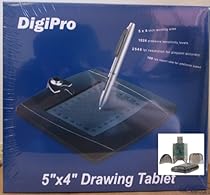
DigiPro 5.5x4 Drawing Graphics Tablet with Cordless Stylus Pen And A free 5 in 1 Card Reader


With send with 5 in 1 card reader and writer General Features: Black tablet and Stylus All Mouse functions USB interface 2540 lpi resolution for pinpoint accuracy Soft-tip pen with 1024 levels of pressure for drawing programs such as Painter and Photoshop Capturing signatures and drawing for inserting into documents Pen commands for control and editing functions Annotating with a pen for Word Handwriting communications for NetMeeting and Netscape conference Pen Launching by tapping on the pad to start a program or visit a website PenMail Annotate mail Tablet Features: 5 x 4-inch working area Pen holder (built-in) Pen indicator Built-in USB cable (54-inch length, approximate) Pen features: Compatible with most graphic software (Painter, Adobe Photoshop) Offers real painting feeling as you are drawing on the paper Operates on one (1) "AAA" battery (included) Bundled UC-Logic PenSuite: PenCommander (not supported in Vista) Annotate for Word (not supported in Vista) PenSigner Annotate All PenMail Regulatory Approvals: FCC CE Weee Package Includes: 5 x 4-inch Graphics Tablet Stylus Pen Pen Holder (built-in) Quick Start Guide Driver and Pen suite One (1) "AAA" battery Additional Information: Notes: Model: WP5540 Product Requirements: IBM PC or compatible with PIII processor or above Microsoft Windows 98SE/ME/2000/XP/Vista/Windows 7 Mac OS X 10.4.11/10.5.8/10.6 256 MB free hard disk space CD-ROM drive USB port

Product Details

* Color: Black
* Brand: DigiPro
* Model: 5X4

Features

* with send with 5 in 1 card reader.
* All Mouse functions
* USB interface
* 2540 lpi resolution for pinpoint accuracy
* Soft-tip pen with 1024 levels of pressure for drawing programs such as Painter and Photoshop

วันเสาร์ที่ 24 เมษายน พ.ศ. 2553

XP-PEN 6 x 4.5" Graphic Tablet XP-6450


XP-PEN is a new standard in graphic tablets, top quality tablet at an affordable price. These tablets are ideal for professionals and students in the digital art industries. Handwriting recognition on your MAC or PC allows for digital signatures on documents and personalized emails. XP-PENs tablet technology gives users the natural feel of a pen/brush/marker with superior performance of the digital age. XP-Pen tablets are easy-to-use and with 1024 levels of pressure-sensitivity provide amazing control and recognition. XP-Pen allows artists to efficiently and effectively edit photos and create digital art and is also compatible with many of today's leading software applications such as Adobe Photoshop, Flash, Illustrator, Corel Painter, Zbrush, etc. Using a pen tablet is easy: XP-PEN tablets are easy-to-use input devices that plug into any computer through a USB port. They include a free-moving pen and an ergonomic pen tablet. With the pen in hand simply hover the pen over the tablet to move the mouse and press down on the tablet with the pen tip when you want to click. Because the working area of the tablet is proportional to your screen, every point on the tablet maps to a point on your screen, so it's a cinch to navigate your desktop and to use in any software application. Pen tablets are one of the fastest and most comfortable ways to work with your computeroffering you an alternative to working with a mouse. Pressure sensitivity: The XP-PEN provides the power of pressure-sensitive control for professional artists. The 1024 levels of pressure sensitivity allows you to dynamically control things like brush size, opacity, scatter, and more with simply the pressure that you apply. Slim style! The new XP-PEN is a noble and graceful. The tablet is slim with a sleak white color. It is easy to carry and can be put into your backpack for the artist on the go.

Product Details

* Brand: P-Active
* Model: XP-6450
* Dimensions: .47" h x .50" w x 5.22" l, 1.06 pounds

Features

* Ergonomic design with sloping, contoured palm rest for comfort.
* The cordless, 1024 levels of pressure sensitivity pen simulates a real paint brush and allows you to paint or write with dual barrel mouse buttons on pen for efficiency right at your fingertips.
* Enhanced electronics for twice the resolution (4000 lpi) Fully programmable Hot-Cell allows to customize shortcut settings for your favorite application software and hot keys.
* Auto adjust tablet active area to matching point on the 4:3 or 16:9 screen.
* Supports MAC/OS 10.4 above and Windows XP, Vista, 7

Customer Reviews

XP-Pen Graphic Draw Write Tablet Demo 5

Watch Video Here: http://www.amazon.com/review/R28QU9O8FCUWKK