วันพฤหัสบดีที่ 11 กุมภาพันธ์ พ.ศ. 2553

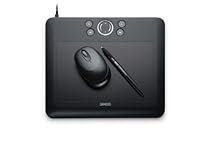
Bamboo Fun (Medium) Black Tablet with Pen, Mouse & Graphics Software


Now there's a simple, easy, and fun way to harness your creativity. Bamboo Fun makes your computer your canvas, allowing you to freely express yourself by simply touching the pen tip to the tablet. Touch up digital photos, draw by hand, create artwork and paintings, and even write in your own handwriting. Bamboo Fun includes full editions of valuable creative software to help get your creative juices flowing. Edit photos with Adobe Photoshop Elements, create artwork with Corel Painter Essentials, and apply photo effects with Nik Color Efex Pro. Bamboo Fun works with any software, and is the perfect mate to those software applications with special features and tools that are designed to be used with a pen. Tablet Size - 11.0 W x 9.3 D x 0.3 H , active area is 8.5 W x 5.3 D; Package contains - Bamboo Fun pen tablet and pen, Bamboo Fun mouse, pen stand, package of 3 replacement pen nibs, USB cable, quick start guide, installation CD with tablet driver and electronic user manual, software DVD that includes Adobe Photoshop Elements 6.0 Win/6.0 Mac, Corel Painter Essentials 4.0, and Nik Color Efex Pro 3.0 WE


Create Your World
Now there's a simple, easy, and fun way to harness your creativity. Bamboo Fun makes your computer your canvas, allowing you to freely express yourself by simply touching the pen tip to the tablet. Touch up digital photos, draw by hand, create artwork and paintings, and even write in your own handwriting.
Bamboo Fun includes full editions of valuable creative software to help get your creative juices flowing. Edit photos with Adobe Photoshop Elements, create artwork with Corel Painter Essentials, and apply photo effects with Nik Color Efex Pro. Bamboo Fun is available in a variety of colors and sizes.

Edit
Bring out the best in your photos. Bamboo Fun's pressure-sensitive pen makes it easy to edit, retouch, and enhance and digital photograph. Create a collage with your favorite pictures, design your own unique borders, or write directly on your photos in your own handwriting.

Paint
Make perfect brush strokes without the mess. Bamboo Fun puts painting effects and artistic tools right at your fingertips. Control brush size, paint, patterns, and textures by changing how hard you press the pen tip to the tablet.

Draw

Bring your ideas to life by drawing, sketching, and illustrating with Bamboo Fun. Use the pressure-sensitive control of the pen to vary line thickness, and add shading and color with the natural feel of pen-on-paper.

Write

Express yourself. Write notes and email, sign your name, mark up documents, and enter handwritten text anywhere typed text is accepted. Combine Bamboo Fun with Mac Inkwell or Microsoft Windows Vista and Office 2007 to unleash pen-specific features and capabilities to communicate more personally.

Simplify

Navigate quickly and easily. Bamboo Fun makes it a cinch to move files, switch views, and work in applications. ExpressKeys provide shortcuts to your most commonly-used keystrokes, and the Touch Ring allows you to zoom and scroll with the touch of your finger.

Product Details

* Color: Black
* Brand: Wacom
* Model: CTE650K
* Original language: English
* Dimensions: .50" h x 11.12" w x 9.25" l, 1.46 pounds

Features

* Package contains - Bamboo Fun pen tablet and pen, Bamboo Fun mouse, pen stand, package of 3 replacement pen nibs, USB cable, quick start guide, installation CD with tablet driver and electronic user manual, software DVD that includes Adobe Photoshop Elements 6.0 Win/6.0 Mac, Corel Painter Essentials 4.0, and Nik Color Efex Pro 3.0 WE
* Great for digital drawing and painting, touching up photos, or writing in your own personal script
* 512 levels of pressure sensitivity to more accurately mimic physical drawing
* Compatible with all major software
* Works with both Windows and Mac operating systems

วันอังคารที่ 9 กุมภาพันธ์ พ.ศ. 2553

WACOM CTE450S Sliver Bamboo Fun Tablet with Pen, Mouse & Graphics Software (NEW)


Now there's a simple, easy, and fun way to harness your creativity. Bamboo Fun makes your computer your canvas, allowing you to freely express yourself by simply touching the pen tip to the tablet. Touch up digital photos, draw by hand, create artwork and paintings, and even write in your own handwriting. Bamboo Fun includes full editions of valuable creative software to help get your creative juices flowing. Edit photos with Adobe Photoshop Elements, create artwork with Corel Painter Essentials, and apply photo effects with Nik Color Efex Pro. Bamboo Fun works with any software, and is the perfect mate to those software applications with special features and tools that are designed to be used with a pen. Tablet Size - 8.4 W x 7.3 D x 0.3 H , active area is 5.8 W x 3.7 D ****************What's in the Box::Bamboo Fun pen tablet, Bamboo Fun mouse, Bamboo Fun pen , Pen stand ,USB cable, Quick start guide , Installation CD (includes tablet driver and electronic user manual), Software DVD that includes: Adobe Photoshop Elements 5.0 Win/4.0 Mac, Corel Painter Essentials 4.0, and Nik Color Efex Pro 2.0 GE , Package of 3 replacement pen nibs

Product Details

* Color: Black
* Brand: Wacom
* Model: CTE450S
* Dimensions: 7.60" h x .50" w x 8.40" l, .77 pounds

Features

* Package contains pen tablet and pen, mouse, pen stand, package of 3 replacement pen nibs, USB cable, software DVD, and more
* Great for digital drawing and painting, touching up photos, or writing in your own personal script
* 512 levels of pressure sensitivity to more accurately mimic physical drawing
* Compatible with all major software
* Works with both Windows and Mac operating systems

Customer Reviews

Great pad, great features, better than the new Bamboo! 5
I just got my CTE450K today. It's sold as refurbished but appeared to be brand new to me. It works great! I recently got the latest Bamboo pen tablet and decided to get this one, too, to compare the features and performance (we have more than one computer).

Features this has that the latest Bamboo pen doesn't:

- The mouse. I've read negative comments about the mouse before. I don't know what they mean. I like the mouse a lot. It's comfortable, precise, and it lets me share the same space for the tablet and mouse (more convenient than using a separate conventional mouse).

- The eraser end of the pen. This lets you flip the pen over to erase instead of having to choose the eraser tool in your program and then choose your drawing tool again. Nice to have!

- The touch ring: this lets you scroll and zoom with your finger. It works well, but it's not a huge deal to me.

- The programmable buttons: I really like having buttons to program keystrokes and functions for quick access.

- The included software: this Bamboo Fun includes Photoshop Elements and Painter Essentials (and more). With the latest Bamboo, you get one or the other, depending which model you order.

The tablet works very well, just like the latest Bamboo. The latest Bamboo has a few less features to lower the price (I assume). This previous version has all the features and originally sold at a higher price. But with these refurbished ones, you get the extra features and actually pay less than for the latest Bamboo! I highly recommend these as the way to go compared to the latest Bamboo pen.

(Note: the latest Bamboo comes in versions that support finger touch in addition to the pen functionality. I didn't get one of those, as it didn't seem worth the higher price for what I was going to do with it (artwork and photo editing). My recommendation of this version over the latest applies to the pen-only versions of the latest Bamboo. If you want finger touch (including multi-touch), you'll want to go with the latest (and pay more).)


About the size: I debated quite a bit between pads with 4x6 active area and 6x8. This was before trying a tablet. Now that I've used the 4x6 tablets for a while, I'm quite sure it's the perfect size. The 6x8 would have me moving my hand/arm much more than I'd prefer, and it would take up more desk space. There's plenty of resolution in the 4x6 area for all the precision I'll ever need.


Great product, great price! I love it, and my kids love it!

Wacom CTE450K Tablet , a great deal and a great product!!! 5
My review is on this refurbished model in particular, and I must say its great. Looks new without a mark on it. I was really impressed, was a little concerned about a Factory Refurbished item, but I was pleasantly surprised. The Tablet works just like a very expensive CAD system tablet but at a fraction of the cost. My unit came packaged just like new and worked perfectly first time.

Awesme Tablet!! 5

I am neither a graphic designer nor an artist. However, I do have an interest in digital art and saw artists drawing beautiful anime characters using tablets at anime conventions. I was fascinated and wanted to learn how to use this tool (even if I can't draw). I read the amazon reviews for the bamboo CTE450K and its price. It looked like a risk I could afford. I immediately ordred one and was impressed right away (even though it was refurbished, it looked and felt brand new). The price was unbelievably low and the features and software that came with it are impressive. I like the feel of the pen as it feels like I am holding a real pen and the mouse feature is awesome as it prevents clutter and doesn't require batteries. I do like the zoom feature and the customizable function keys. Additionally I ordered the carrying case for it to protect this valuable gem.

วันจันทร์ที่ 8 กุมภาพันธ์ พ.ศ. 2553

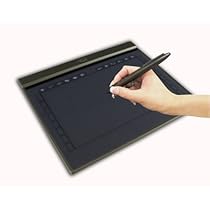
Adesso CYBERTABLET Z12 10 x 6.25-inch Widescreen Graphics USB Tablet PC


The new Cybertablet Z12 Graphics USB Tablet PC features a 10"x 6.25" work space for drawing, handwriting, sketching, coloring and picture editing. This tablet enables you to control the pressure level of the pen. With a 1024 lop (level of pressure) you could adjust the lightness or thickness. It features accurate pressure sensitivity to accomplish the most sophisticated computer-aided designing tasks. A powerful, yet easy-to-use combination of an ergonomic pen, tablet and software lets you naturally draw and write freehand graphics and text as comfortably as you would on real paper. The possibilities are endless with this ultra slim, portable graphics tablet- plus its small enough to go wherever you go.

Cybertablet Z12 Graphics USB Tablet PC Details

* Brand: Adesso
* Model: CYBERTABLET Z12
* Platform: Windows
* Format: CD
* Dimensions: .35" h x 10.00" w x 12.00" l, 2.65 pounds

Features

* 10 x 6.25 inch writing area, making it the ideal choice for professional computer artists
* Wireless 2 button pen with 1024 levels of pressure sensitive to provide all the comforts of a normal pencil
* High accuracy and sensitivity for a highly reactive cursor
* 1024 gradations of pressure sensitivity for highly accurate rendering in painting and writing
* No need for separate power adapter, completely USB powered

Customer Reviews

Very pleased with Cybertablet Z12 4

This is my first graphics tablet. Being a mechanical engineer that started out on a drafting board, I come from a different mind set than a graphics artist. I spent over a week researching every manufacturer of graphics tablets I could find, reading the reviews, etc. The overwhelming number of reviews were of Wacom tablets. Frankly, I almost went with a Wacom Bamboo but, the price just seemed way out of proportion for the features. But, it seemed like everyone kept chanting the Wacom mantra.

One thing that should be stressed is software. There are basically two kinds, Pixel Image Editors and Vector Illustration Software. Editors are like Photoshop, PhotoImpact, etc. and vector based are like Adobe Illustrator ($$$), CorelDraw ($$), or InkScape(free). Image editors have lots different brush types (pen, crayon, airbrush, etc.) that produce a more painted, artistic image. Vector software is really more for those who are more serious about making images as accurate and realistic as possible.

The Cybertablet z12 came with Ulead's PhotoImpact 12se and I downloaded Adobe Photoshop Elements (trial version). Personally, the PhotoImpact software is easier to use.

The cheapest Wacom that had the same size table, Intuos3 6x11 goes for $330. That's nearly 3 times the cost of a Adesso. Is the quality there, maybe not, but at this point, I can't tell.

Long story short, give the Cybertablet a shot. :)

Art 5
We bought this for our 11 year old daughter who really enjoys drawing. She is quite talented at drawing herself, and likes to trace pictures too. Once set up, she really enjoyed using this. I realize she will not use all the features yet, but I hope this product will last her for many many years. It has many features and is easy to use.

Does exactly what it says it does. 4

This tablet as described by others before me performs as it should. the control and pressure levels have worked wonderfully and I have no complaints about its functionality. There is however a point that I cant seem to get around. The macros that come programed into it already don't seem to be changeable. while they are fine the way they are I suppose, the symbols on the top don't match up to what they actually do, a minor inconvenience I suppose but one none the less.

วันอาทิตย์ที่ 7 กุมภาพันธ์ พ.ศ. 2553

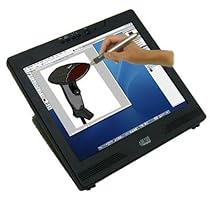
17 LCD Tablet Monitor with pen/ Bundled Sw Uses Whiteboard Graphics


Another revolution in digital design from Adesso! The CyberTablet M17 turns a simple monitor into a graphics tablet for pen-based applications of almost limitless diversity. A highly effective "Paperless Office" tool, this device enables the user to annotate hand-written or digitally signed emails, compose images, and even supports handwriting recognition. User-friendly and easy-to-use. Those in the medical/EMR, architectural, graphics arts, film and video, educational or in fact almost any of today's industry sectors find the CyberTablet M17 to be a 'cannot-do-without' addition to their digital arsenals. buy now you get a spacial price $834.93 & eligible for FREE Super Saver Shipping on orders over $25. Get more detail from aStore

CYBERTABLET M17 Details


* Brand: Adesso
* Model: CYBERTABLET M17
* Dimensions: .0" h x .0" w x .0" l, 16.15 pounds

CYBERTABLET M17 Features

* Product #: CYBERTABLETM17
* Manufacturer: Adesso Inc.
* Manufacturer Item #: CyberTabletM17
* UPC: 783750002516

วันพฤหัสบดีที่ 4 กุมภาพันธ์ พ.ศ. 2553

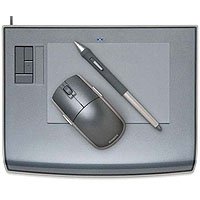
Wacom Intuos3 USB 4"x 6" Graphics Tablet with Pentools, for PC & Mac Refurbished by Wacom


For the serious photographer, designer, and artist... Wacom Intuos3 Graphics Tablet gives you the power to quickly and professionally edit photos and create digital artwork by turning on the full power of Adobe Photoshop, Corel Painter, and over 100 other leading software applications. Intuos3 tablets now put ExpressKeys and Touch Strips right at your fingertips for convenient keyboard shortcuts, scrolling, zooming, brush size control, and more. Wacom's Penabled technology gives you the natural feel and superior performance of Wacom's patented cordless and battery-free tablet technology. You'll find that using an Intuos pen, mouse, and tablet gives you more control, comfort, and productivity. Alternating between the comfortable Grip Pen and the ergonomic five-button Intuos3 mouse reduces repetitive motion. It's an easy and natural way to work. Using a pen tablet is easy: It's easy to use a pen tablet because every point on the tablet has a matching point on the screen. When you move your pen over the tablet the cursor moves in precisely the same way on the screen. Where you touch your pen tip to the tablet is where you click. Pressure sensitivity: The Intuos3 Grip Pen gives you the power of pressure-sensitive control. Pressure sensitivity lets you control your software tools by changing how hard you press the pen tip to the tablet surface. Using pressure sensitivity you can dynamically control things like brush size, opacity, and more.

Product Details


* Color: Met. Gray
* Brand: Wacom
* Model: PTZ431W
* Dimensions: 8.50" h x .50" w x 10.60" l, 3.10 pounds

Wacom Intuos3 USB 4"x 6" Graphics Tablet Features

* Comes with - Pen tablet; Grip pen; five button mouse; Pen stand; Replacement nib set; CD; CD with tablet driver software for installation; DVD
* With 1,024 levels of tip and eraser pressure sensitivity, it fits comfortably in your hand with a cushioned & contoured grip for a natural feel
* The Intuos3 five-button mouse is ball-free and optics-free for smooth, accurate tracking
* The sloping, contoured palm rest provides comfort while you work
* USB.The pen has a programmable DuoSwith and tilt sensitivity. It also comes with multiple nibs for a variety of feels
* Keep your pen handy in the included multi-position pen stand
* Five programmable buttons and a fingerwheel give you added flexibility and control

Customer Reviews

WOOHOO!5
this is so awesome that i got such an expensive design tool for so cheap a price. i saw the deal and had to buy me a christmas present. i use it for my adobe programs on my Macbook Pro and corel paintshop and sketchbook pro. it works on my windows vista side as well. i have a laptop so it's useful at my desktop and i use the mouse all the time. very pleased with this product although i was worried about it at first because it is refurbished. it was new in the box!

good or not?5
I wanted an intuos so darn much. they are very pricey and i never have enough money to get one (bills, college and all). unfortunately my goal was to get the latest intuos 4 tablet, then i found this intuos 3 tablet by accident on amazon. I couldn't believe my eyes, i had to literally rub them a 100 times to make sure i wasn't dreaming. the price was under a 100 bucks...i was almost hysterical...i thought they were pulling my leg.
at first i was a little uncertain about the "refurbished" on the item but the price was so darn tempting that I just ordered it.
When the tablet arrived, my hands were shaking so bad because i was afraid that the tablet was already used and scratched up. to my surprise, the tablet was new and so were the accesories that came along with it. it had the refurbish stamp on but i could see no problem with it.
i installed the tablet onto the computer and started doodling with it. i was also scared that the tablet wasn't working well because all my pen pressure were the same after i changed the settings, but then i finally found out how to really change the sensitivity on the pen and i am amazed by this product.

i own a 2nd generation wacom bamboo pen (the newest one) and i was comparing it to the intuos 3....well i think the intuos 3 is really the better buy!
i am addicted to the intuos 3....its great for every artist. i highly recommend it.

Great item, was basicly new5
This was a gift for my wife and she absolutely loved it. I had to set it up, and I must say that for an item to be refurbished, it was in immaculate quality. Everything was shinny and new looking, everything worked perfectly, and was very much enjoyed by my wife. Some of the set up is a little weird, but everything works fine. The programs are worth as much as the device, so there is a big plus. I think that I may have trouble finding a gift to match this next year!

วันพุธที่ 3 กุมภาพันธ์ พ.ศ. 2553

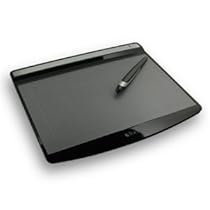
Tooya Pro Graphics Tablet (Windows/Mac)


Price: $119.99
TOOYA Graphics Tablet combines flexibility, high pressure sensitivity and excellent quality. It has a wide active area (10x6.25) design so that you can use it with your wide screen monitor without distortion problems. And Windows® Vista¿ supports pen features such as note taking, handwriting recognition, and gesture recognition to give you the result you want quickly and easily. Extremely slim and light, the TOOYA PRO has a stylish design that fits elegantly in any home or office. With its ergonomic design, TOOYA PRO gives you the most comfort while working on the projects. TOOYA PRO is not only a tablet it also serves as a mouse pad. It gives you the best graphic performance for your professional design with 2000 lpi resolution and 1024 level of pen pressure sensitivity. [ Hardware Specifications ] Slim Tablet: 12.1" Active area: 10"x6.25" Physical Dimension (WxHxD): 306x257x9 mm (12"x10"x0.35") Resolution: 2000 lpi Report rate: 125 rps Pressure sensitivity: 1024 levels Reading height Max 10mm LED indicator 1 blue LED Power consumption Max 40mA Interface: USB 1.1 (Full Speed) USB cable: 1.5 meters [ System Requirements ] Windows 2000/XP/Vista or Mac 10.4 above DVD-ROM driver USB port

Tooya Pro Graphics Tablet Product Details

* Brand: PenPower
* Model: Tooya Pro
* Platform: Windows
* Format: CD
* Original language: English
* Dimensions: .35" h x 10.11" w x 12.00" l, 2.55 pounds

Features

* Write or draw digitally with this digital graphic tablet
* Compatible with large monitors without distortion problems
* Ergonomically designed pen has 1024 levels of pressure sensitivity
* 2000 lpi resolution
* One-year limited manufacturer's warranty

Customer Reviews

Great Chinese handwritting tool for Intel Mac...5
I purchased this mainly to replace the old PenPower tablet that I had used before for Chinese handwriting on my PPC Mac, which I found out later that the software wouldn't work on Intel Mac. Fortunately, this table, along with the updated Chinese handwriting software that can be downloaded from PenPower's website, has brought Chinese handwriting recognition to Intel Mac and it works very well. The catch here is that the new Chinese handwriting software only works with this tablet. Sure hope that Apple can license this software (which is no bigger than 30MB) and make it part of OS X... Having said all this, this is a great (and only) Chinese handwriting tool if you have an Intel Mac and want to input Chinese without having to learned various keyboard input methods.

wide tablet, very sensitive4
i had a Genius MousePen 8X6 wich worked just fine, and the size is more practical for general drawing. Tough the big size of tooya's tablet may come handy for special cases, when you have to draw and change from several tools, you'll need to strech your hand all over the tablet or have a usb mouse near for easy tool navegation. The advantage of tooya is the wide range of pressure sensibility, which works wonderfully with brushes and artistic tools like photoshop & others. Otherwise when you're drawing vectors, there's no effect of pressure on the line's width, at least there's no choice for using this feature in illustrator cs2 vectors (i dont know if it works in coreldraw) indeed, if you don't soften the pressure settings, when drawing vector lines, they could break at any weak point, so experiment with pressure settings. If You get to draw your inky sketches for any vector output, do it in a painted (rasterized) mode in Photoshop or similar, then vectorize it if you need to keep the inky feel. hope this helps

Smooth Operator4

I have had my tablet for almost 6 months now. The Tooya replaced an Aiptek. The only reason I did not say this is an excellant product is because I had originally tried to use it on a Vista Home Premium PC. Not a good idea. Since that time I loaded it on an XP Media Edition and it works great. This is a superior product to the Aiptek with a lot more control over the line (I use this to draw)

วันจันทร์ที่ 1 กุมภาพันธ์ พ.ศ. 2553

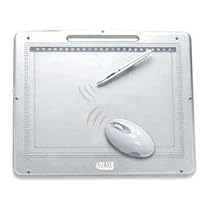
Cybertablet 12000A 12X9 USB White Graphics Tab Pen Mouse Pc Mac


Ergonomically designed tablet with a wireless scroll mouse for easy drawing, handwriting, sketching, coloring and picture editing. With its 12" x 9" workspace, the CyberTablet 12000 offers you the freedom of movement and fine-tuned sensitivity to accomplish the most sophisticated computer-aided designing tasks. A powerful, yet easy-to-use combination of a pressure-sensitive pen, tablet and software lets you naturally draw and write freehand graphics and text as comfortably as you would on real paper. Bundled with Adobe Photoshop Elements 3.0 now combines powerful photo-editing functionality with intuitive organizing and sharing capabilities.

Product Details

* Brand: Adesso
* Model: CYBERTABLET 12000A
* Dimensions: 5.00 pounds

Features

* Adesso Inc. CT-12000A 12 x 9""Tablet with Adobe Photo

Customer Reviews

Excellent Product4
This product turned out to be everything that I wanted and more. The seller described it perfectly. I would suggest that anyone that is learning how to use any type of Illustration program on a budget should consider this tablet.